This document is written for staff — support workers, nurses, social and health care assistants, therapists — who use Validi every day. It is the kind of thing your clinic manager will quite reasonably ask you to read when you start, or six months in when a refresher is due.
It is not a legal guide. It is an everyday checklist: what GDPR means in practice for your work with the service user's record, and what you can do yourself so a small mistake doesn't become a big problem.
Reading time: 5-7 minutes. Print it or bookmark the page.
The basics — why it matters
Service users in addiction treatment and social psychiatry have given you access to some of the most sensitive information that exists about them. That isn't a formality. A leaked record can cost a service user their job, a relationship, or worse.
GDPR is the law that sets the rules for how you may handle that information. Validi takes care of most of the technical side (encryption, audit log, hosting, backup). But there are four or five things in daily work that no software can fix for you.
Your password
The most important security action you take every day is choosing a good password and keeping it to yourself.
A few rules of thumb:
- Use a sentence, not a word. "My-cat-slept-on-the-keyboard-again" is harder to guess than "Summer2024!".
- Never reuse passwords from elsewhere. Your Validi password should not be the same as your Netflix password.
- Don't write it on a post-it on your screen. Not in a notebook on your desk either.
- Use a password manager if you struggle to remember several. 1Password, Bitwarden, or the built-in Apple/Google ones are fine.
If you think your password may have ended up in the wrong hands — for example because you clicked on a suspicious link — change it immediately and tell the clinic administrator. It isn't something you get fired for. It is something you get thanked for reporting.
Two-factor login
Validi offers two-factor login (also called MFA). That means your password alone isn't enough — you also need a code from an app on your phone.
It sounds annoying. It is, for the first three days. After that it's automatic.
If you have the option to turn it on, do. If you are a Validi administrator for your clinic, it is already on.
When you step away from the computer
The rule is simple: if you step away from the computer, you lock the screen.
That applies even if you're just popping out for a coffee. If a colleague — or worse, a service user — gets access to an unlocked computer with your login, whatever they do is logged under your name.
Keyboard shortcuts:
- Mac: Ctrl + Cmd + Q
- Windows: Windows key + L
Validi will log you out automatically after a period of inactivity. But that period is longer than the time it takes a colleague to open a record she shouldn't see. Lock the screen.
When a service user's record is on screen
Be mindful of what is visible in open-plan offices and meeting rooms.
A few small habits:
- Turn the screen away from the door
- Close service user windows when you get up
- Don't say service users' names or Civil Registration Numbers out loud in shared spaces
- Be aware if you're sitting in a room with windows facing the street
This isn't about paranoia. It is about making sure sensitive information isn't read, even by accident, by someone who has nothing to do with the case.
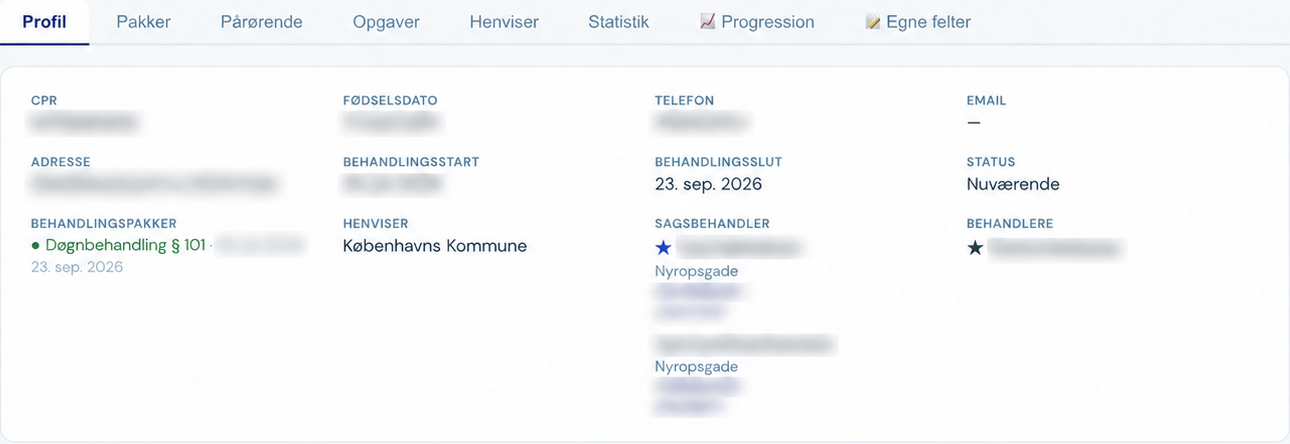
Service user profile in Validi, shown in Danish, with personal details and treatment start dates blurred. Select the image to view the full-size detail.
If you work from home
Validi can be accessed from home. But a few things to be aware of:
- Don't use public Wi-Fi (cafés, libraries, hotels) to open service user records. If it is absolutely necessary, use a VPN.
- Your home network should be password-protected (not the open one from the neighbour).
- Family members should not be able to see service user data on the screen — even in passing. Sit with the screen facing a wall, not the living room.
- Don't take screenshots of service user data and send them via SMS or WhatsApp. If you need to share something, use Validi's built-in SMS function.
Phishing — the most common trap
Phishing is fake emails that look like real ones — from a bank, a colleague, or Validi itself — trying to trick you into entering your login or clicking a link.
Signs of phishing:
- The email comes from a strange address (
validi-support@gmx.cominstead ofsupport@validi.eu) - It asks you to enter your login "to confirm your account"
- It claims to be urgent ("your account will be suspended today")
- It contains spelling mistakes or odd phrasing
- The link points to a strange URL when you hover over it
Validi will never ask you to enter your login via a link in an email. If in doubt: open a new browser tab, go to validi.eu yourself, and log in that way.
If you do click and enter your login: change the password immediately, and let the clinic administrator know. It happens. The important thing is that you speak up.
If you notice something strange
Report it. Immediately.
Examples of "strange":
- You log in and see that there is already an active session you don't recognise
- A colleague says she received a strange email "from you"
- You discover that a record has been changed and you don't remember doing it
- A service user mentions that they have seen their own record somewhere it shouldn't be
It may be nothing. But if it is something, it is important to catch it quickly. Write to the clinic administrator, or directly to Validi support if you are an administrator yourself.
When a colleague leaves
This is the clinic administrator's responsibility, but it's worth knowing as a staff member: when a colleague leaves, their Validi account must be closed immediately.
That applies to parental leave, long-term sick leave and sabbaticals too. Access can always be reopened, but in the meantime it should be closed.
If you are the administrator, put it in your exit procedure: when the key, the access card and the phone are handed back, you also close the Validi account. It takes 15 seconds from the "Staff" menu.
What you should never do
The short list of absolute no-gos:
- Log in with another staff member's account (even if she says it's fine)
- Share your login with a locum or trainee
- Take pictures of the screen with a private phone
- Put record material on Google Drive, Dropbox or other private cloud services
- Send service user data via ordinary email (use Validi's secure SMS or messaging function instead)
- Discuss identifiable service users on social media — not even in closed groups for colleagues
Most of these are probably intuitive. But they get broken — typically in a stressful moment — and they are what tends to make the papers when a clinic runs into trouble.
If you are in doubt
If you're unsure about a specific situation, ask. The clinic administrator, a colleague who has been there longer, or Validi support directly at support@validi.eu. There are no stupid questions here. There are only questions asked too late.
For clinic managers: feel free to share this document internally as it is, or adapt it to fit your own clinic. If you'd like an editable version (Word or Google Docs), contact us — we'll send it over.
For staff: thanks for taking the time to read this. It isn't the most exciting reading, but it matters.